How-to guide
Share a catch
Fish Agent can turn any catch photo into a finished card — your photo, the species, the size and the date, with the app badge along the bottom — and hand it to your phone’s normal share sheet. You decide whether it says anything at all about where you were fishing.
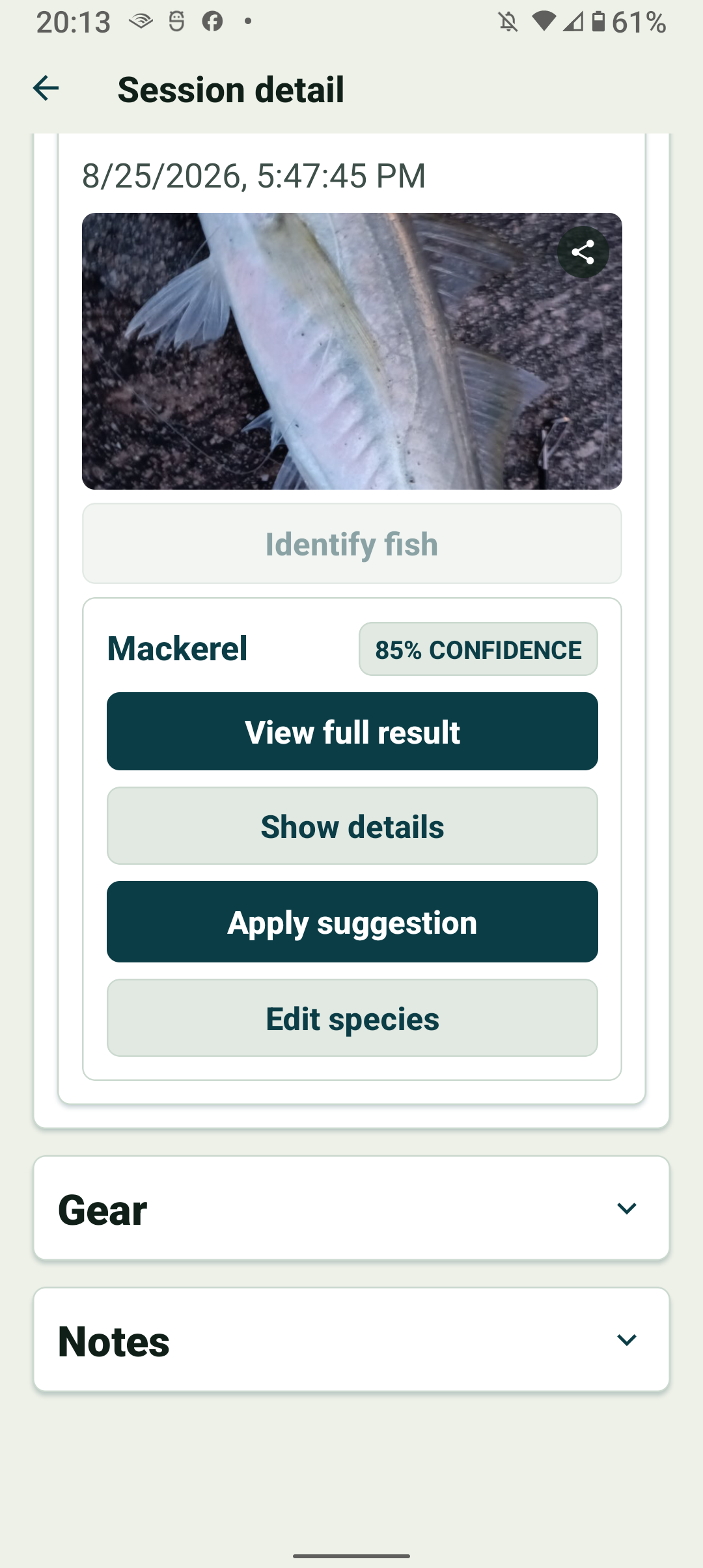
Tap the share icon on a photo
Every catch photo carries a small share icon in its top-right corner — in a running session, on the species result screen, and on any catch in a past session’s Catches list.
Tapping the photo itself still opens it full-screen as before; only the icon starts a share. The sky photo from a Sky & Weather Scan works the same way and produces a weather card instead.
Check the card and choose what it shows
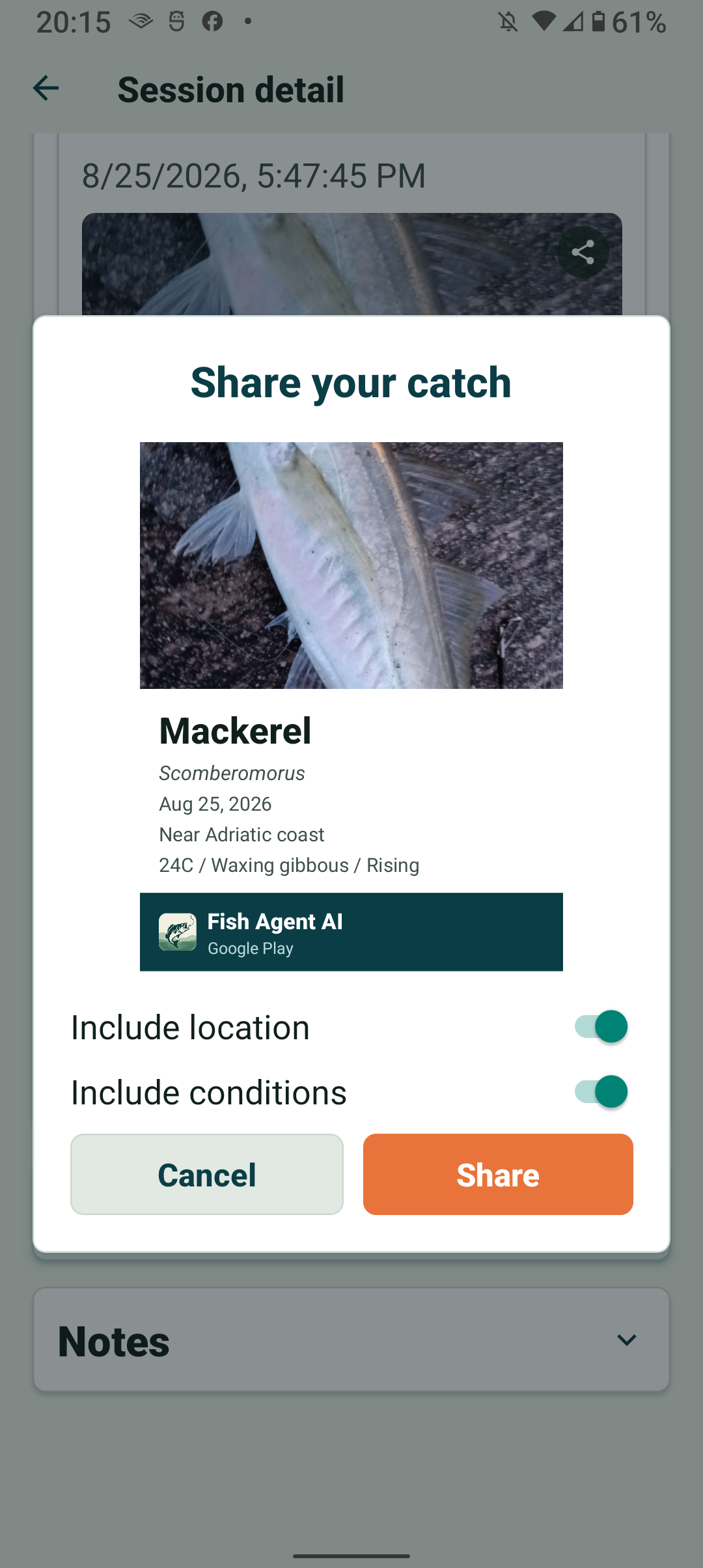
A preview appears of exactly what will be shared. The card carries whatever Fish Agent knows about the catch: the species and its scientific name if it has been identified, size and weight if you recorded them, and the date.
Include location is off unless you turn it on, and Include conditions adds the weather, moon phase and tide recorded with the session. Each toggle only appears when there is something for it to add, and your choice is remembered for next time.
Send it wherever you like
Tap Share and your phone’s usual share sheet opens with the card attached, alongside a short caption naming the species and linking back to Fish Agent. Pick Instagram, WhatsApp, Facebook, messages, email — whatever you already use.
Instagram and Facebook do not accept a caption from another app, so on those the card arrives on its own. The caption is copied to your clipboard every time, so you can paste it into the post yourself if you want the link there.
Everything is built on your phone, so sharing works with no signal.