How-to guide
Getting started
A quick tour of where everything lives. Fish Agent opens on the home screen — or straight to your session if one is already running — and every other area is one tap away from the bar at the bottom of the screen.
Start on the home screen
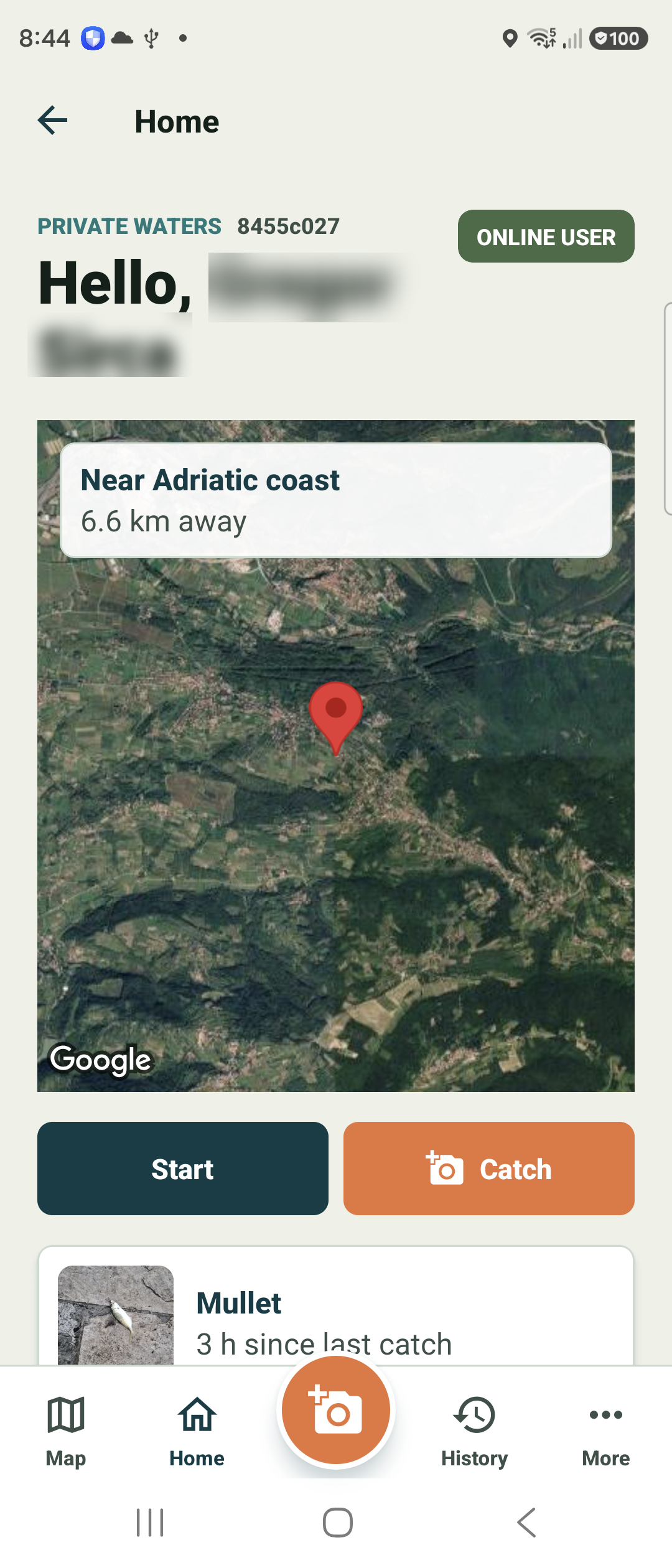
Home greets you by name and shows a card with your nearest known area and roughly how far away it is, drawn over a private map.
Two large buttons sit underneath: Start begins a fishing session, and the orange Catch button jumps straight to the camera to log a catch. Your most recent catch appears just below for quick reference.
Use the bottom bar to move around
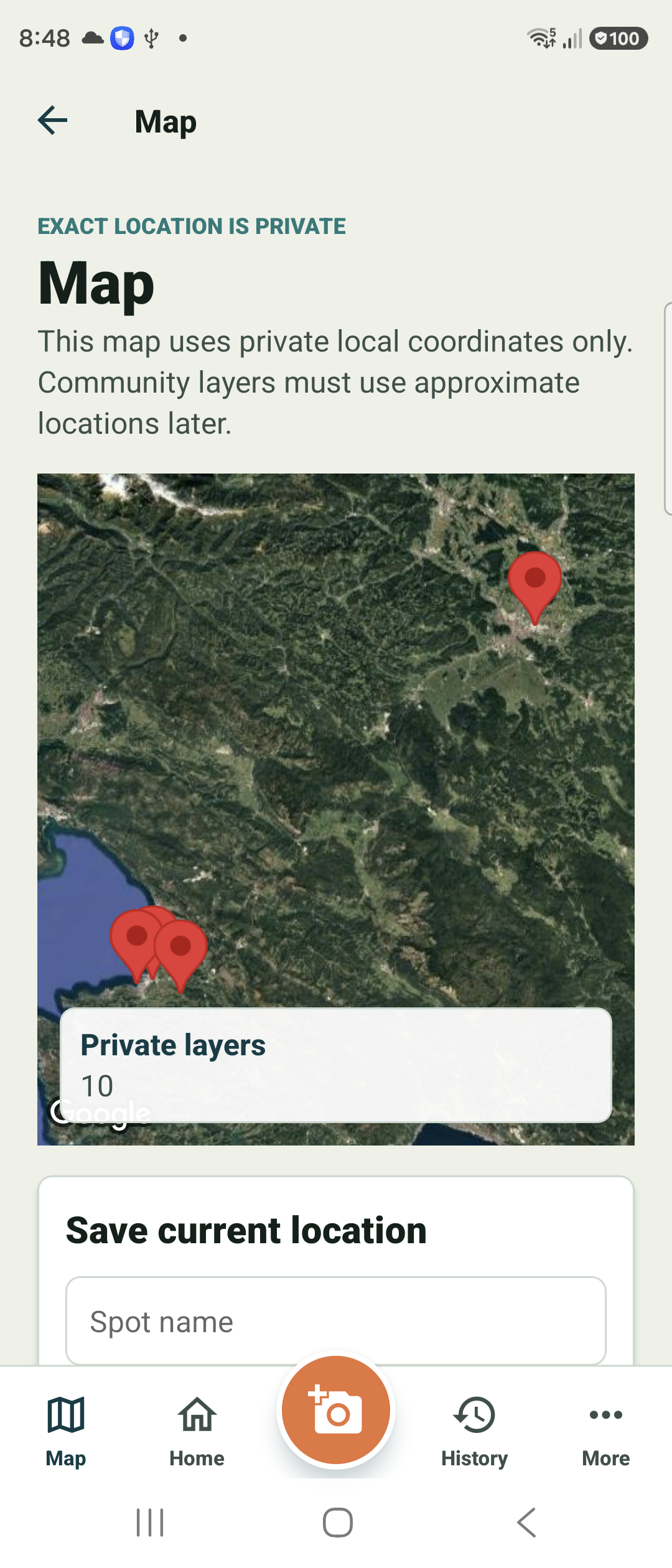
The bar at the bottom is always there: Map, Home, the orange camera in the centre, History, and More.
The Map tab shows your saved spots and session routes on a private map — exact coordinates stay local, and any future community layers use approximate locations only.
Find everything else under More
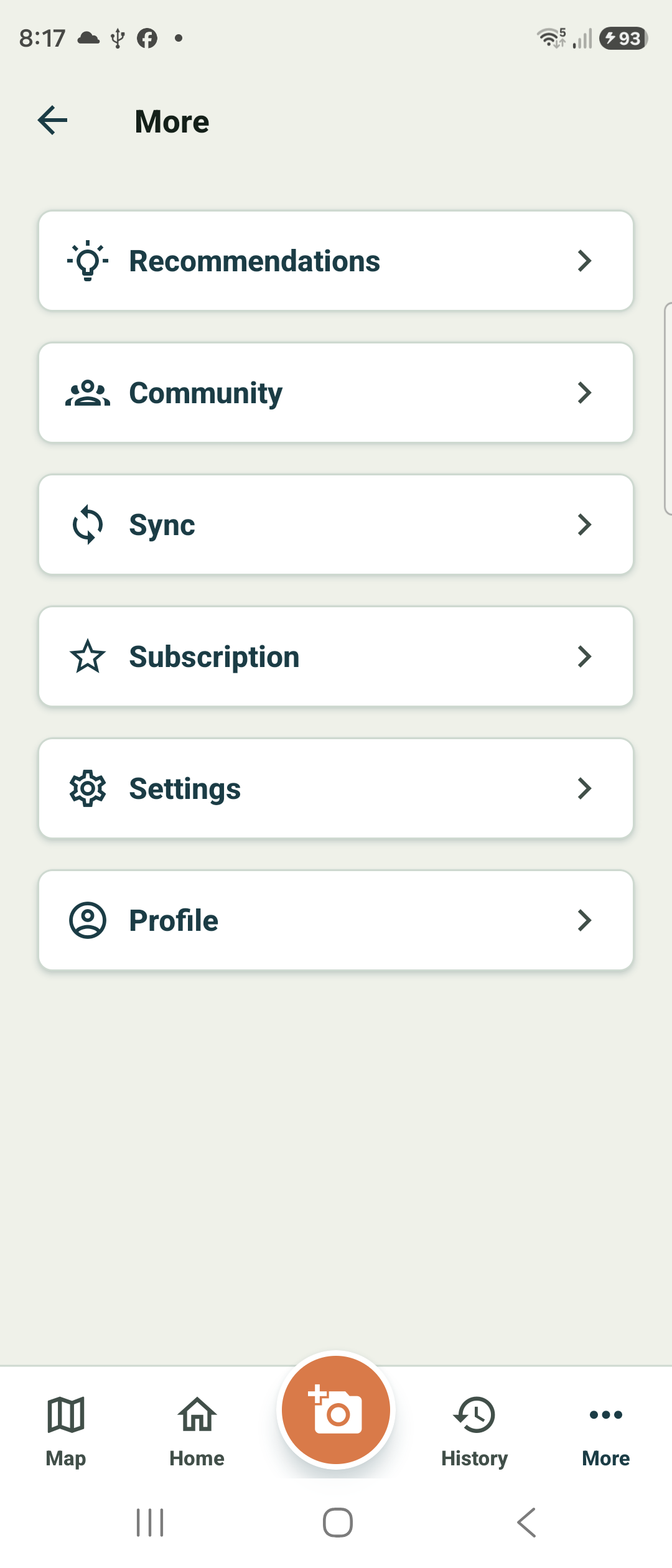
Tap More to reach Recommendations, Community, Sync, Subscription, Settings, and your Profile.
This is where you sign in, sync your journal to the cloud, manage your account, and adjust app settings. The core logging features on Home and the camera work without any of this.