How-to guide
Sync & account
Fish Agent is local-first: your journal lives on your device. Signing in is optional, and adds cloud backup, recovery, and AI features. Nothing leaves your phone until you choose to sync.
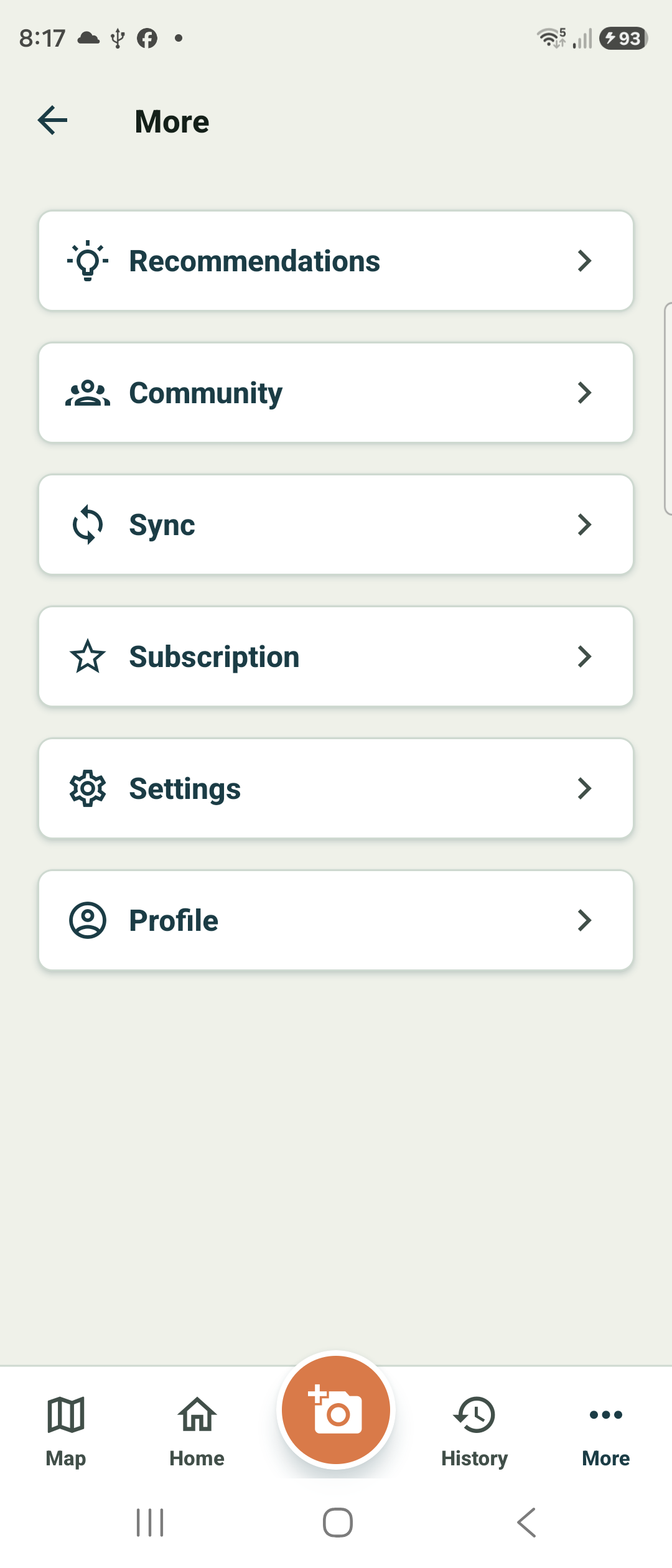
Open Sync from the More menu
Go to More and tap Sync. This is the cloud-backup screen, where your local journal meets your account.
If you are not signed in yet, sign in first — with Google, or with Apple on iPhone — so Fish Agent has an account to back up to.
Send your sessions to the cloud
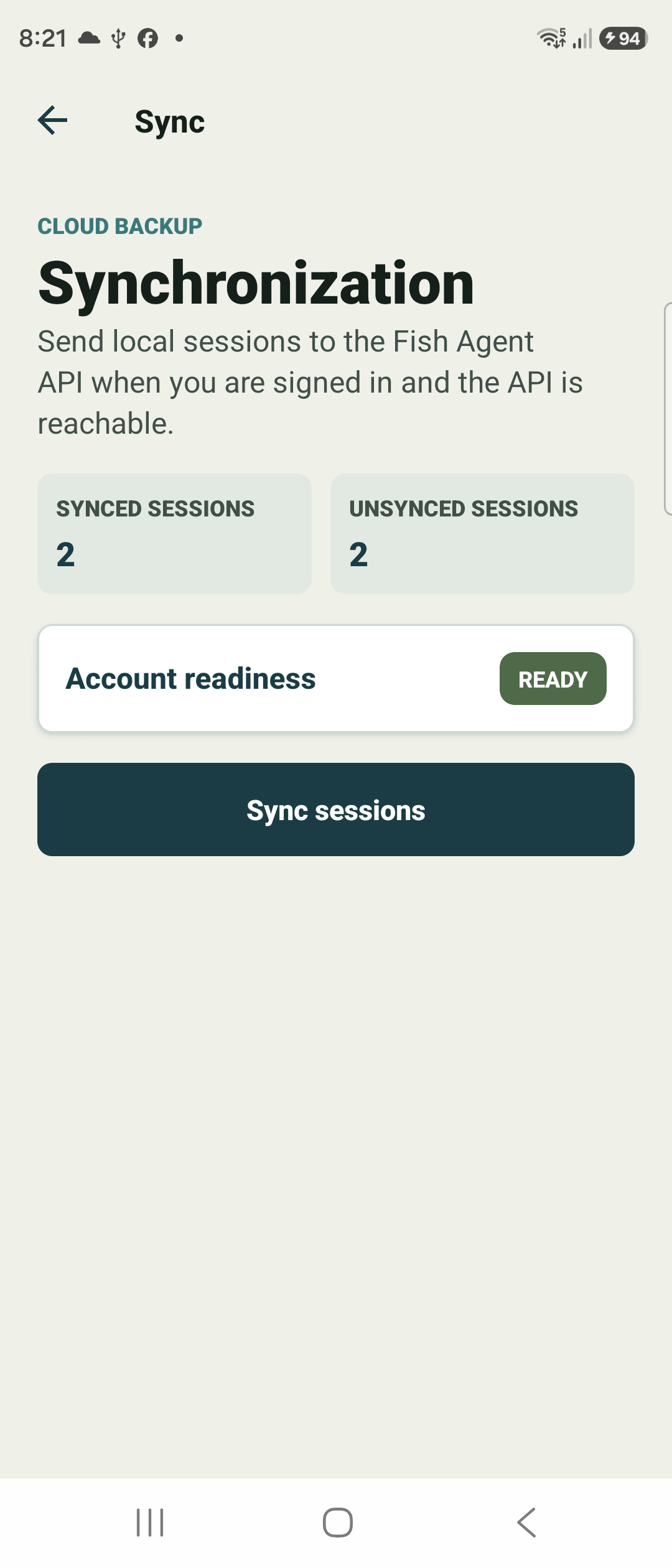
The Sync screen shows Synced and Unsynced session counts and an Account readiness status. When it reads READY, tap Sync sessions.
Fish Agent uploads your local sessions to the Fish Agent API. You can keep fishing offline and sync later whenever it is convenient.
Check your profile
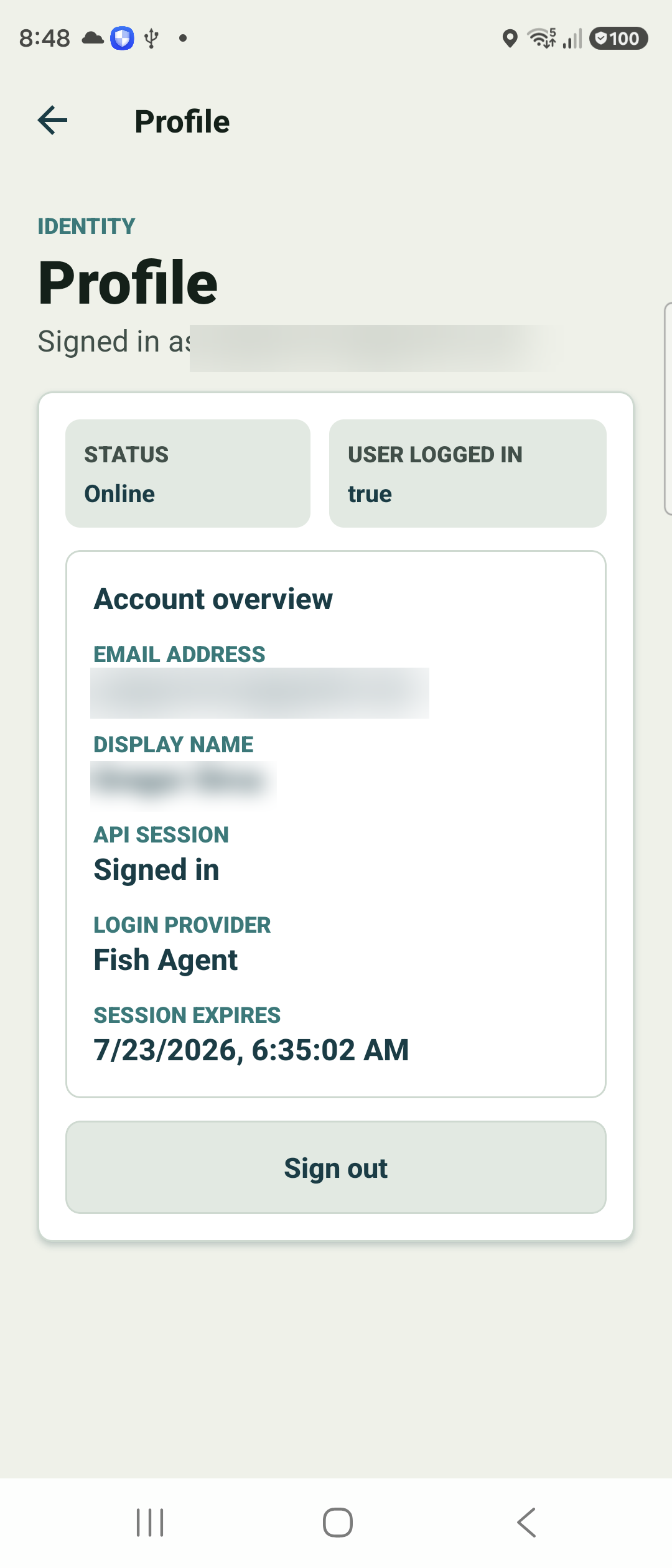
Open Profile from the More menu to confirm your account state — whether you are signed in, your login provider, and when the session expires.
From here you can also sign out. Signing out leaves your local journal intact on the device.
Review on the web (optional)
Once your sessions are synced, open the Fish Agent web companion in any desktop browser and sign in with the same account you use in the app to review your trips on a big screen.
There you can see catch photos full-size and correct a wrong fish ID, gear, or conditions — edits save straight to your account. It is free with your login.