How-to guide
Identify a fish
Fish Agent can suggest a species from a catch photo and open a full result card — including the part that matters on the water: safety, handling, and local size and legal limits. And if the AI gets it wrong, you can correct the species yourself in a tap.
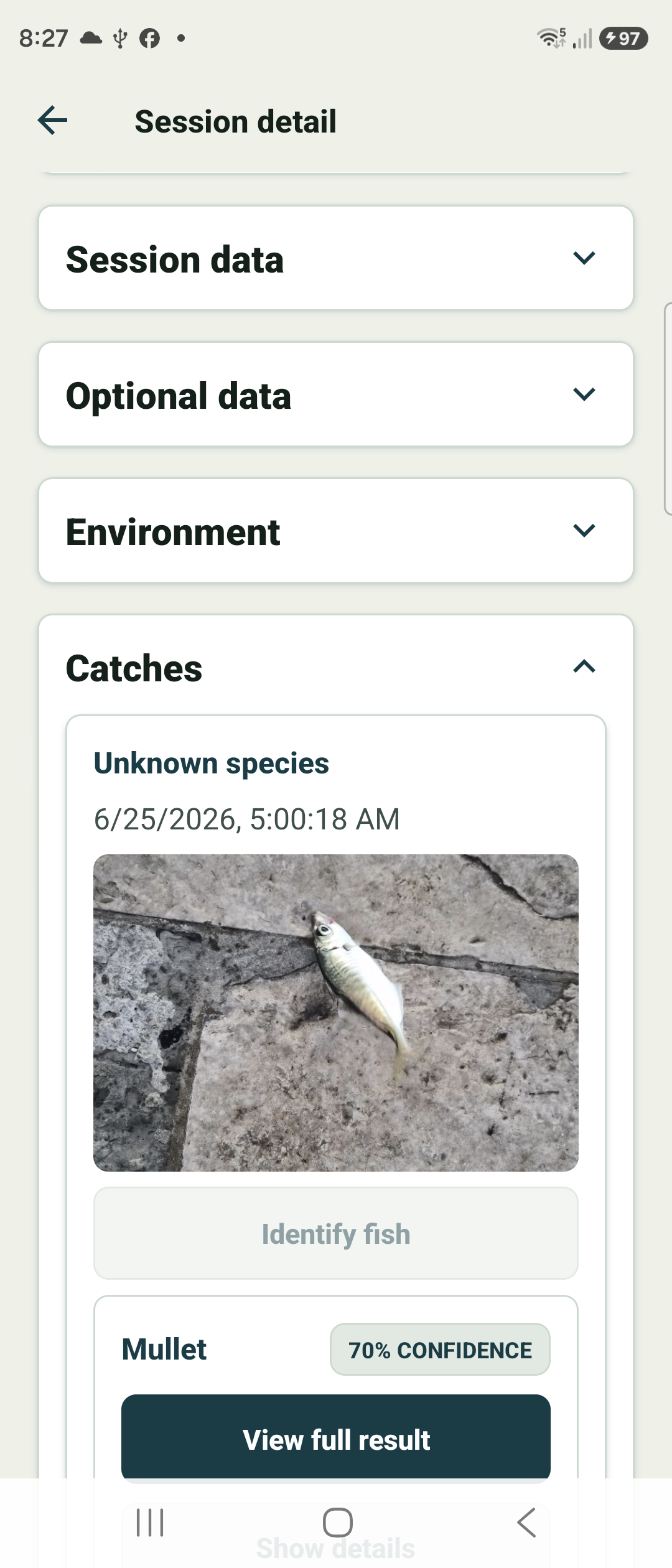
Tap “Identify fish” on a catch
Open a catch in the Catches section of a session and tap Identify fish. The photo is sent for AI analysis.
When it finishes, the catch shows the suggested species and a confidence figure, with View full result to open the detailed card.
Read the species result
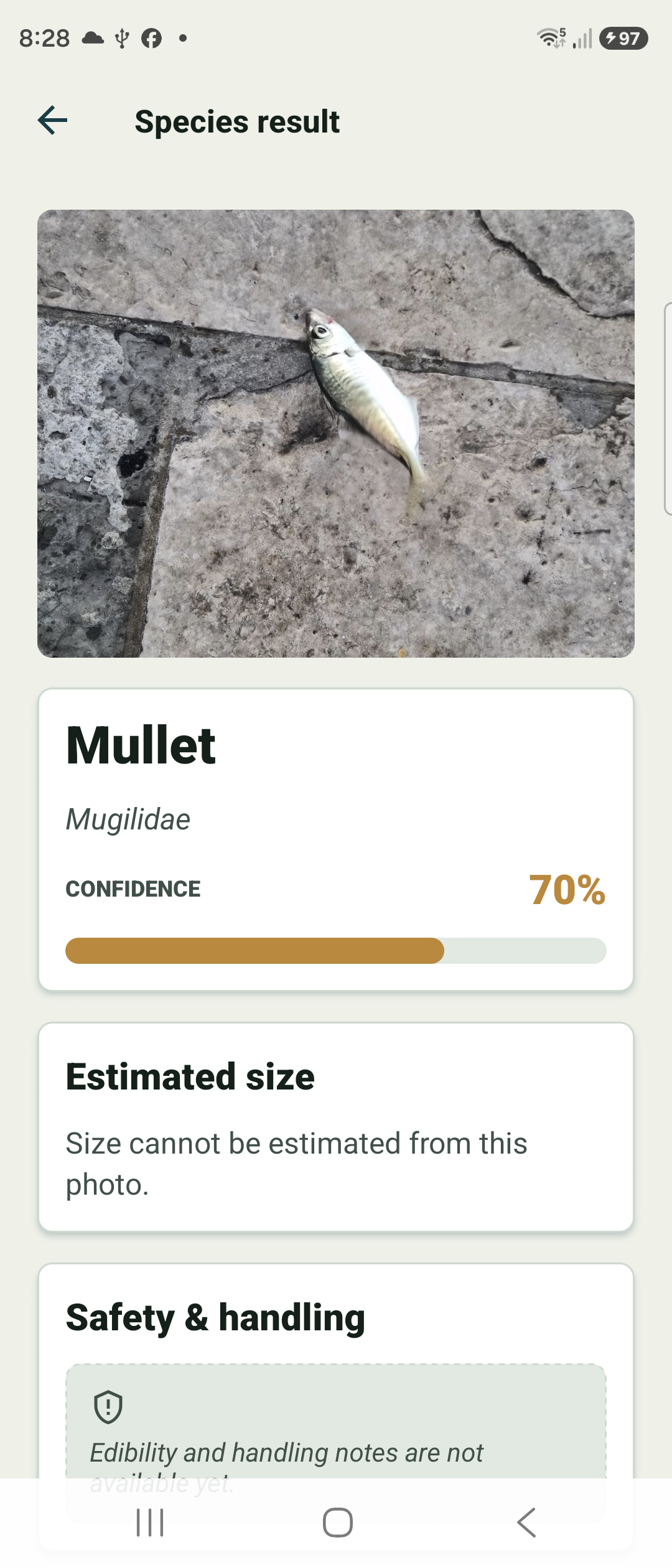
The result card shows your photo, the likely species and its scientific name, and a colour-coded confidence gauge.
Estimated size appears when the photo allows it — without a scale reference, Fish Agent will say size cannot be estimated rather than guess.
Check safety, handling & limits
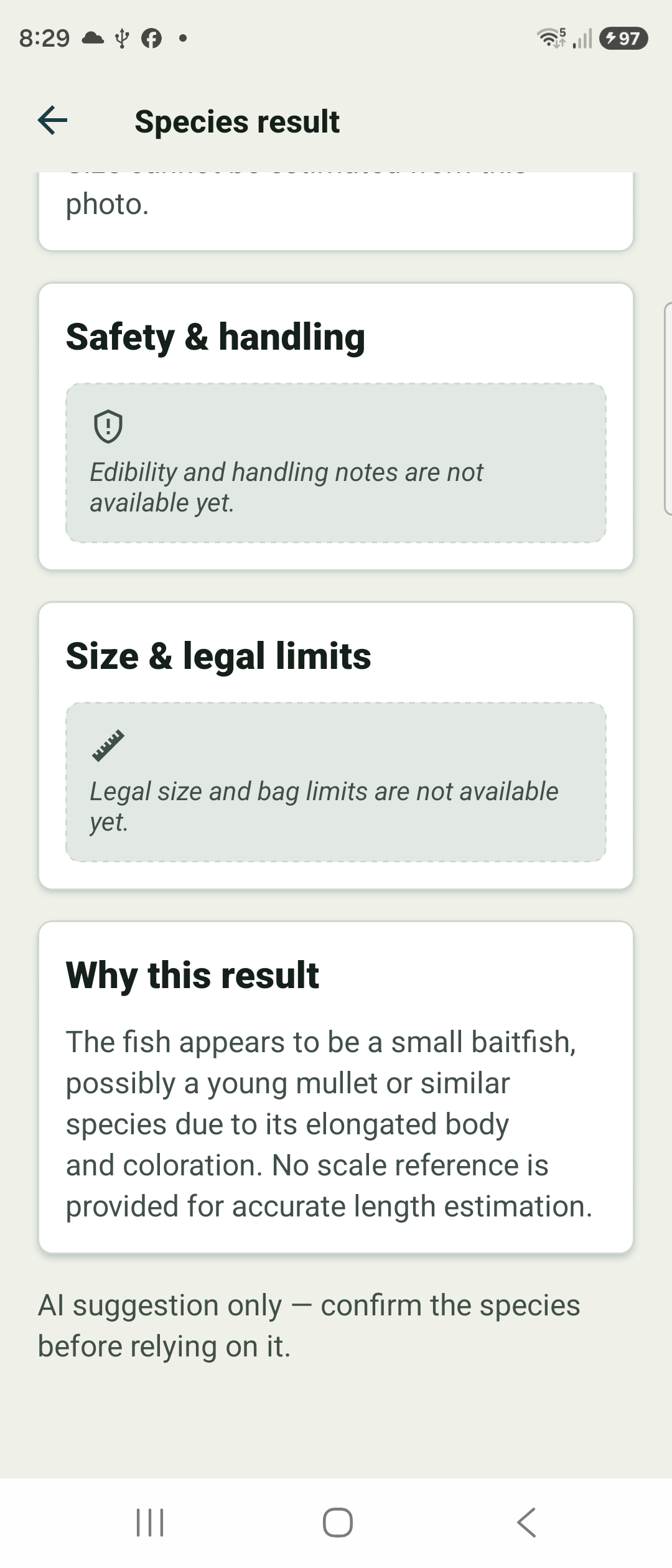
Scroll for Safety & handling (edibility and handling notes) and Size & legal limits (legal size and bag-limit guidance for your area). When data is not available yet, the card says so plainly.
Why this result explains the reasoning. Treat everything as guidance — the card reminds you it is an AI suggestion only — confirm the species before relying on it.
Not this fish? Correct the species
If the suggestion is wrong, tap Not this fish? on the result card. Pick one of the suggested alternatives with a tap, or start typing to search for any species by common or scientific name.
The catch updates to your species, and the safety, handling, and size & legal-limit guidance refresh to match it. Corrections do not use your daily identification quota, and they work offline too — a pending correction syncs the next time you are online.
Changed your mind later? Open the catch in session detail and tap Edit species to correct it there at any time.